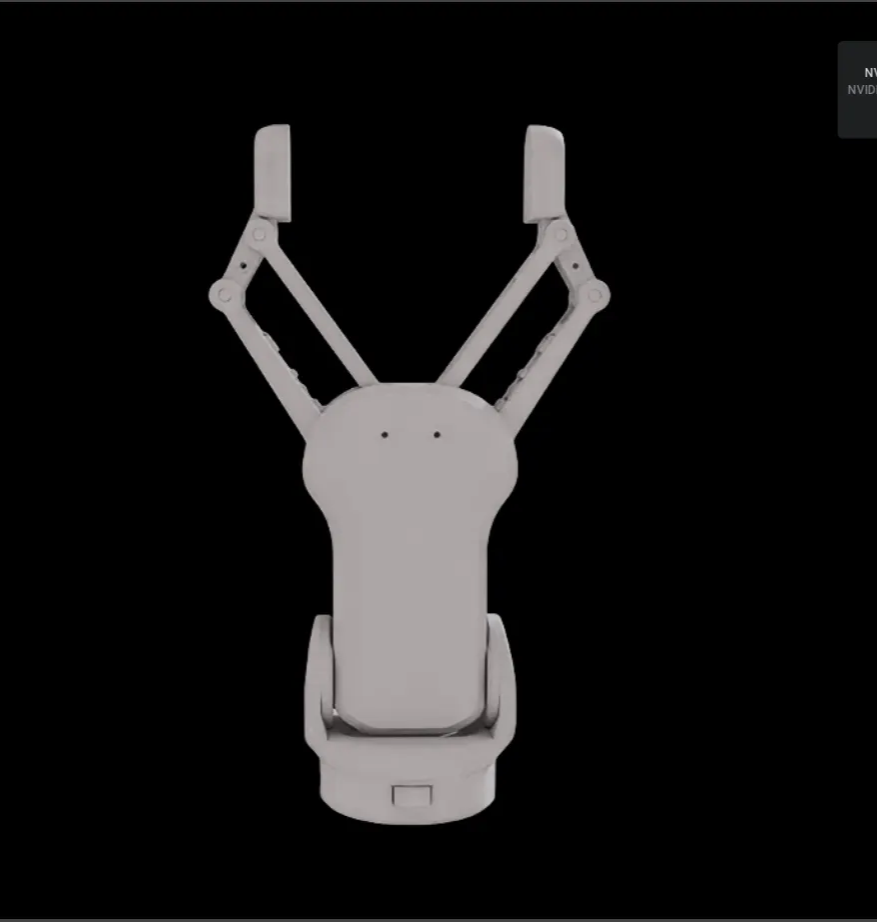
Handling Closed Loop Robots in Isaac Sim
Have you ever loaded a delta robot or complex gripper into Isaac Sim only to find that the simulation fails to start, or the joints come loose? This happens because Isaac Sim's Articulation system does not directly support closed-loop structures.
In this article, we explain the principles behind PhysX's Articulation system and share practical solutions using Guide Joint and Exclude From Articulation to resolve closed-loop issues.
What is Articulation?
Articulation is the core unit that defines robot motion in Isaac Sim. Unlike visualization tools like RViz that simply display the connection relationships between links and joints, Isaac Sim operates based on NVIDIA's physics engine, PhysX.
PhysX Physics Parameters
PhysX simulates using the following physical parameters rather than simple geometric connections:
| Parameter | Description | Impact |
|---|---|---|
| Mass | Link mass | Gravity, inertial force calculations |
| Inertia | Inertia tensor | Rotational dynamics |
| Friction | Friction coefficient | Sliding during contact |
| Damping | Damping coefficient | Vibration suppression |
| Stiffness | Stiffness | Position holding force |
Tree Traversal Algorithm
PhysX interprets robots as a tree structure:
Base Link (Articulation Root)
    └── Link 1
        └── Link 2
            └── Link 3
                └── ...
                    └── Tool (End Effector)
In this tree structure, a traversal algorithm calculates forces and kinematics sequentially from root to tip.
Standard 6-axis or 7-axis robot arms form a complete tree structure without any issues. Since each link has exactly one parent and one child, the traversal algorithm proceeds cleanly in one direction.
The Problem: Closed Loop Structures
Delta Robot Structure
Delta robots are a representative example of parallel-link structures:
        /-- Bicep 1 --- Forearm 1 --\
Base ---+-- Bicep 2 --- Forearm 2 ---+--- Platform --- Tool
        \-- Bicep 3 --- Forearm 3 --/
Three arms start independently and meet at a single platform. When such closed loops formed by links exist, circular references occur during traversal where downstream link movements affect upstream links.
Gripper Closed Loops
Grippers face the same issue. The finger mechanism of a parallel gripper uses a four-bar linkage structure, forming a closed loop within a small space.
When loading such structures directly into Isaac Sim:
- Simulation fails to start - PhysX cannot parse the tree structure
- Joints come loose - Force calculation errors due to circular references
- Unstable oscillation - Conflicting constraints
Solutions
Isaac Sim provides two key features to break or bypass circular structures.
Method A: Using Guide Joint
Analyzing actual hardware reveals that not all joints in a closed loop have motors attached. Usually, there is one active joint (driven axis), while the others are passive joints that follow along passively.
In Isaac Sim, if all joints have their Purpose set to the default value Default, all joints will have forces trying to maintain their positions. This results in joints fighting each other.
How to Configure Guide Joint:
- Select the joint in Isaac Sim
- Find the
Joint > Purposeproperty in the Properties panel - Change from
DefaulttoGuide
Joints set to Guide:
- Have their position determined without physical resistance
- Follow other joints' movements passively
- Are excluded from force calculations in articulation traversal
Method B: Exclude From Articulation
Sometimes Guide Joint settings alone are insufficient. This is because Guide Joints are still included in the traversal algorithm's path.
To completely prevent circular references, you need to forcibly break one of the joints forming the loop.
Exclude From Articulation maintains the physical connection of the joint while treating it as non-existent in Articulation calculations:
- Physically: Links remain connected
- Computationally: The connection is severed
As a result, the traversal algorithm can complete calculations without getting trapped in loops.
Configuration Method:
- Select one of the joints forming the loop (typically the Guide Joint connected to the body)
- Enable the
Exclude From Articulationcheckbox in the Properties panel
When to Use Which Method?
| Situation | Recommended Method |
|---|---|
| Passive joints are clearly distinguished | Apply Guide Joint only |
| Still unstable after applying Guide Joint | Guide + Exclude From Articulation |
| Complex parallel link structures | Exclude one joint per loop |
Practical Example: OnRobot RG6 Gripper
Here is a real case of operating the OnRobot RG6 gripper in Isaac Sim.
RG6 Gripper Structure Analysis
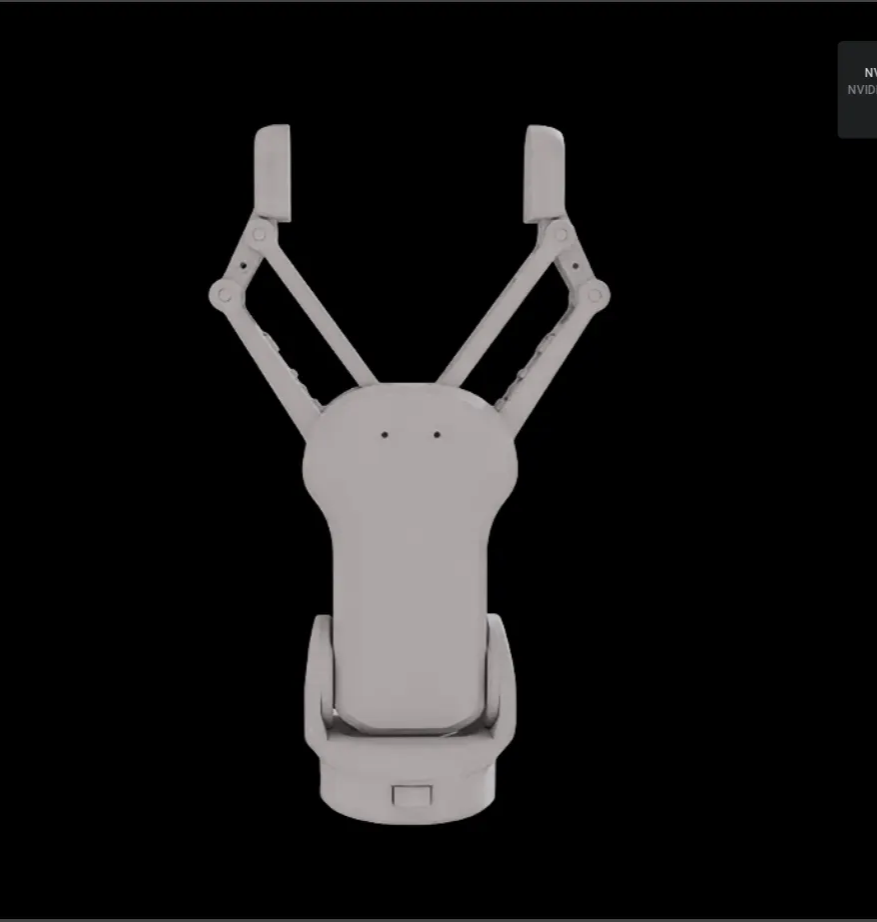
Overall structure of the OnRobot RG6 gripper - four-bar linkage mechanism on both fingers
The RG6 gripper is a typical closed-loop structure where four joints mesh together and rotate per finger.
Joint Type Configuration
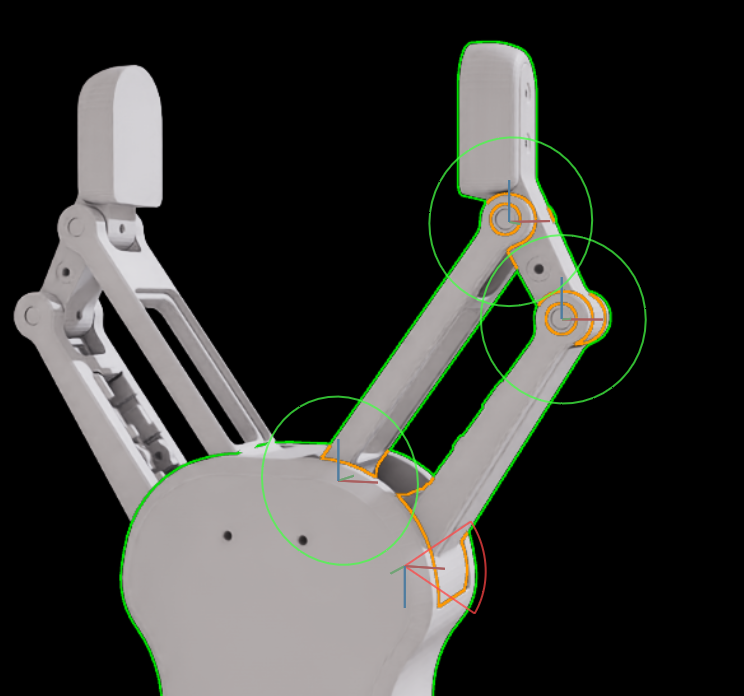
Joint configuration for one finger: Green = Guide Joint, Orange = Active Joint
Applied Settings:
-
Active Joint (orange, 1 joint)
- The driving joint with the actual motor connected
- Keep
Purpose: Default - Target for position/velocity control
-
Guide Joint (green, 3 joints)
- Passive joints that follow along
- Change to
Purpose: Guide - Only check
Exclude From Articulationfor the joint connected to the body
Results
With these settings, the RG6 gripper operates stably in Isaac Sim:
- Joints don't come loose when simulation starts
- The entire linkage moves synchronously when position commands are sent to the Active Joint
- Object grasping simulation works correctly
Actual operation of the RG6 gripper after applying Guide Joint and Exclude From Articulation
Key Takeaways
-
Isaac Sim's Articulation is based on PhysX's tree traversal algorithm and does not directly support closed-loop structures.
-
Closed Loop Problem Symptoms: Simulation won't start, joints come loose, unstable oscillation
-
Guide Joint removes physical resistance from passive joints to prevent conflicts between joints.
-
Exclude From Articulation excludes joints from Articulation calculations to break circular references.
-
Combining both methods allows simulation of complex parallel-link structures.
When working with closed-loop robots like delta robots, parallel grippers, or Stewart platforms in Isaac Sim, remember these two settings. By understanding the physical structure and applying appropriate settings to the right joints, you can stably simulate complex mechanisms.